
Making & testing · 5 min read
Co-create a story: contributions and credit
How other creators can contribute to your public story or publish their own version of it: the publish switches, review and merge, conflicts, and credit.
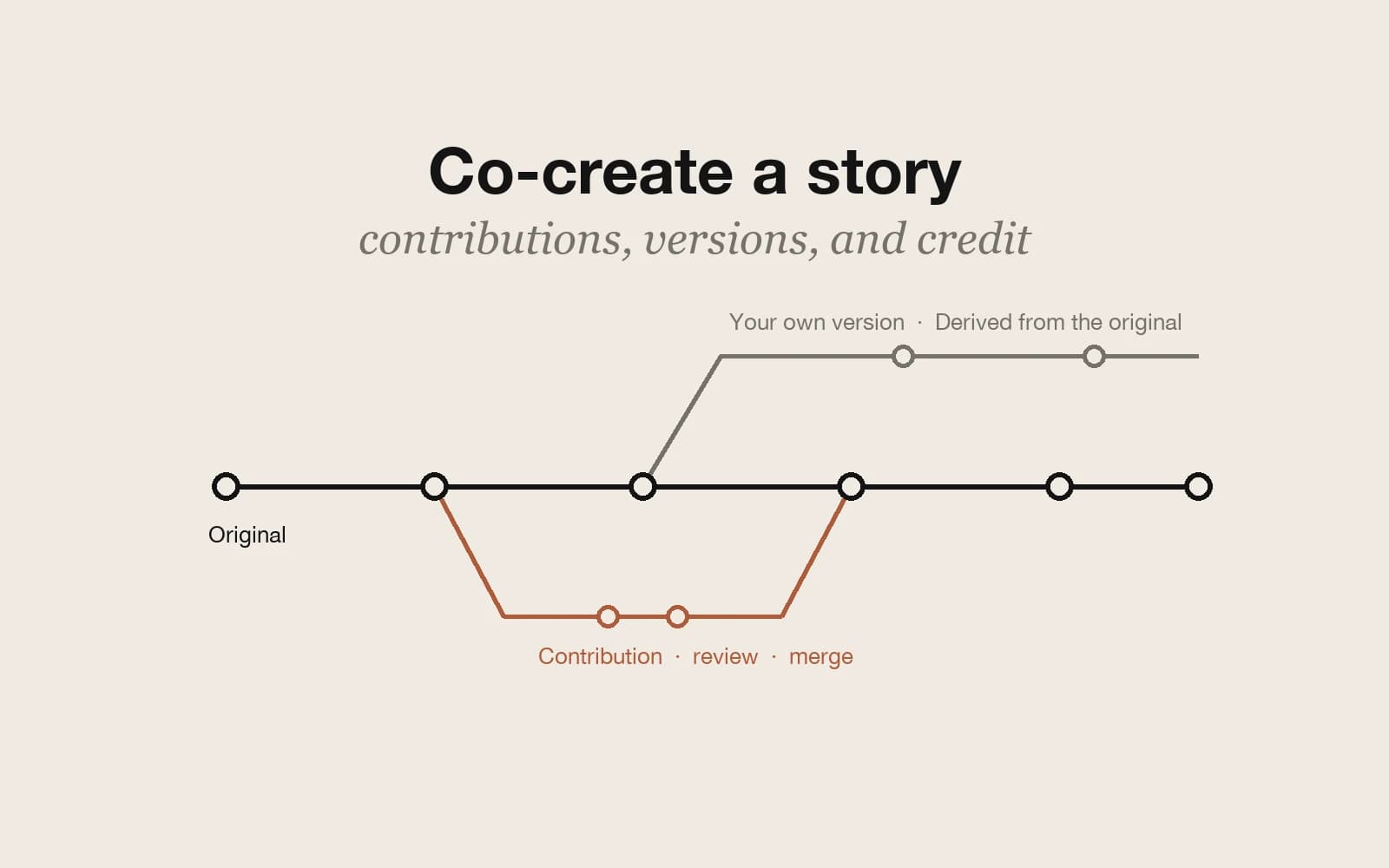
A published Pominis story does not have to stay a closed, finished piece. If you allow it, other creators can build on it in two ways: a contribution, which they write in a copy and send back to you for review, and a derivative, which they publish as their own version with a permanent link to yours. This guide covers both, from the settings to the review.
The example is invented: a public mystery about a late-night radio show whose host starts taking calls from listeners who do not exist. One reader wants to write the missing scene in which the producer finds the old tapes; another wants to retell the whole story from a caller’s side.
The two publish switches
When you publish a story as Public, the publish dialog shows Creation permissions with two switches:
- Allow derivative stories: other creators can publish their own version with permanent attribution to you. On by default.
- Allow collaborative contributions: other creators can edit an isolated copy and submit it for your review and merge. Off by default.
The switches only appear for public stories, because remixing and contributing both start from the public story page; a private or unlisted story cannot be copied this way. You can change the same settings later in VN Studio, under Share Studio and Community creation, where they read Accept contributions and Allow derivative stories.
What readers see on your story page
On a public story, a reader sees Create a version when derivatives are allowed and Contribute when contributions are allowed. You never see Contribute on your own story. If you have turned an option off, the page tells readers that the author has turned it off. For a paid story, a reader has to unlock it first, by buying it or through a membership.
How a contribution works
Contribute makes a full copy of your current draft, not only the published version, as a new project in the contributor’s own list, titled with “(Contribution)”. They edit it in VN Studio like any project, spending their own credits on any AI work. When it is ready, they choose Submit contribution and can add a short note on what they changed. Their copy is then frozen while you review, and your story does not change unless you approve.
You get a notification, and the submission waits in the Contribution inbox in VN Studio. Open preview lets you play it first. Then you have two actions:
- Merge: the contribution’s story replaces your current draft, including its characters, chapters, scenes, and choices, its music and image style settings, and any assets the contributor added. Your source documents, startup brief, format, and runtime settings stay as they were. The published story does not change until you publish again.
- Request changes: the submission goes back to the contributor with your note, of up to 1,200 characters, and they can edit the same copy and submit it again.
There is no separate reject button; a submission you do not want can simply stay unmerged. In the radio example, the producer’s tape scene arrives as a contribution: you play it in the preview, merge it, and publish again so readers get the new scene.
When you both changed the same thing
A merge is simple if your draft has not changed since the contributor made their copy. If it has, Pominis compares three versions, the one they started from, yours, and theirs, one character, thread, chapter, and scene at a time. A change made on only one side is kept, and deletions carry through. If you both changed the same item in different ways, the merge stops, names what you both changed, and suggests asking for changes.
One caveat: asking for changes does not refresh the contributor’s copy with your latest draft. After a real conflict, the cleanest route is often for them to start a new contribution from the current story and redo their part there. To avoid conflicts, leave the part a contributor is working on alone until you have merged it.
Derivatives: their version, your credit
Create a version copies the published story, not your draft, into the reader’s projects as a new project titled with “(My version)”. It is theirs: they can change the characters, the ending, or the whole point of view, and publish it under their own name. The copy starts with its own contribution and derivative switches off.
Once a derivative is published, its page shows Derived from with your story’s title and your name, linking back to your story. Your story page shows how many versions exist and lists them under Story timelines, so in the radio example the caller’s retelling would appear there beside your original.
Credit for contributors
There is one gap to know about: a merged contribution does not add the contributor’s name to your story page. The contributor is told that the contribution was merged, but readers are not. If someone wrote a scene you kept, name them yourself, in the story description or in the story itself.
Which to allow
- Leave derivatives on if you are happy for others to take your world in their own direction, with your name attached.
- Turn contributions on when you want help with the story itself and are ready to review and merge.
- Turn both off for a story you want to keep as a single, finished work.
- For co-writers who work in the same draft as you, invite editors through Share Studio instead; the guide to continuing a story covers that.